Sheds Manufacturer Module

The "Manufacturer Module" is a feature-packed, industrial strength version of Sheds built for manufacturing plants.
- Displays cost and margin on every building
- Sales lot inventory
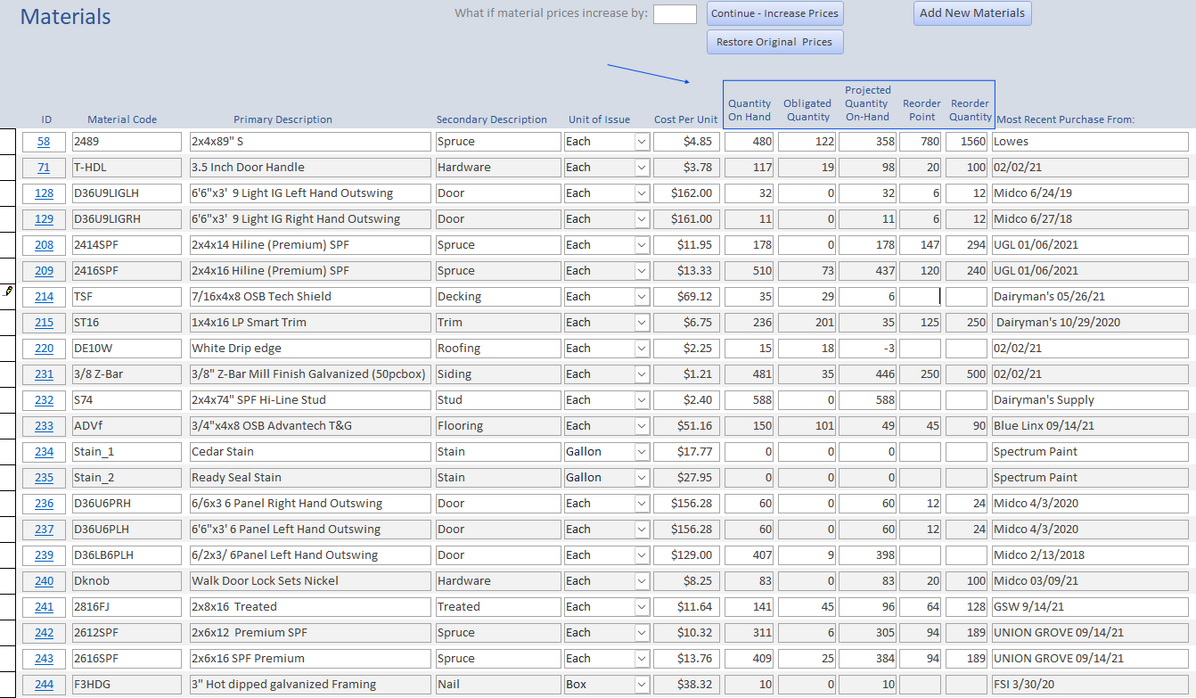
- Automatic raw materials inventory
- Calculates builder pay, driver pay, sales commissions
- Allows dealers to input and submit orders
- Production scheduling
- Displays cost and margin on every building
- Sales lot inventory
- Automatic raw materials inventory
- Calculates builder pay, driver pay, sales commissions
- Allows dealers to input and submit orders
- Production scheduling

Products Tab - Sheds lists your buildings and options here. It also displays the margin on the structures list. In this case the target margin is set at 10%, so those below that are shown in red. The suggested retail price is the price needed to achieve the target margin.

Add or Edit Structures - This is where we maintain information about each building. We assign raw materials and keep track sales, labor and other costs. Your total cost and profit are shown here too.

The Orders Tab - Sheds keeps track of orders from the time the dealer submits them until after they're shipped and invoiced. No need to file paper copies of orders because Sheds maintains them for life.

Order Input Form - Designed to get the job done with as few keystrokes and mouse clicks as possible. Select the building, options, and colors from drop down lists. Quantities, prices and totals calculate for you. You can scan and attach a layout drawing or a floor plan image and this will print on the shop production order. Please note: Sheds does not have "floor plan drawing" capability, but you can attach an image file from any 3rd party drawing application.
|
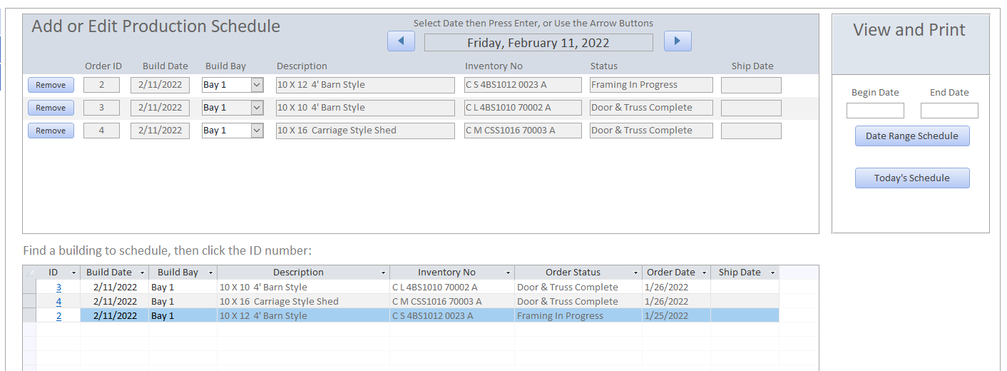
Production Scheduling - Plan production for as many buildings and workers as needed.
|
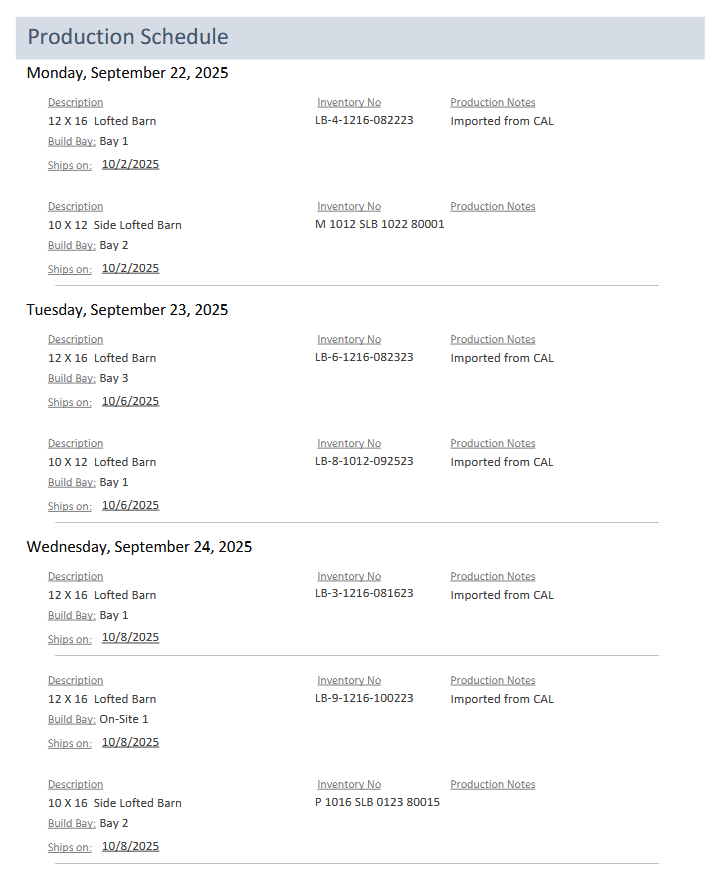
Production Schedule Report
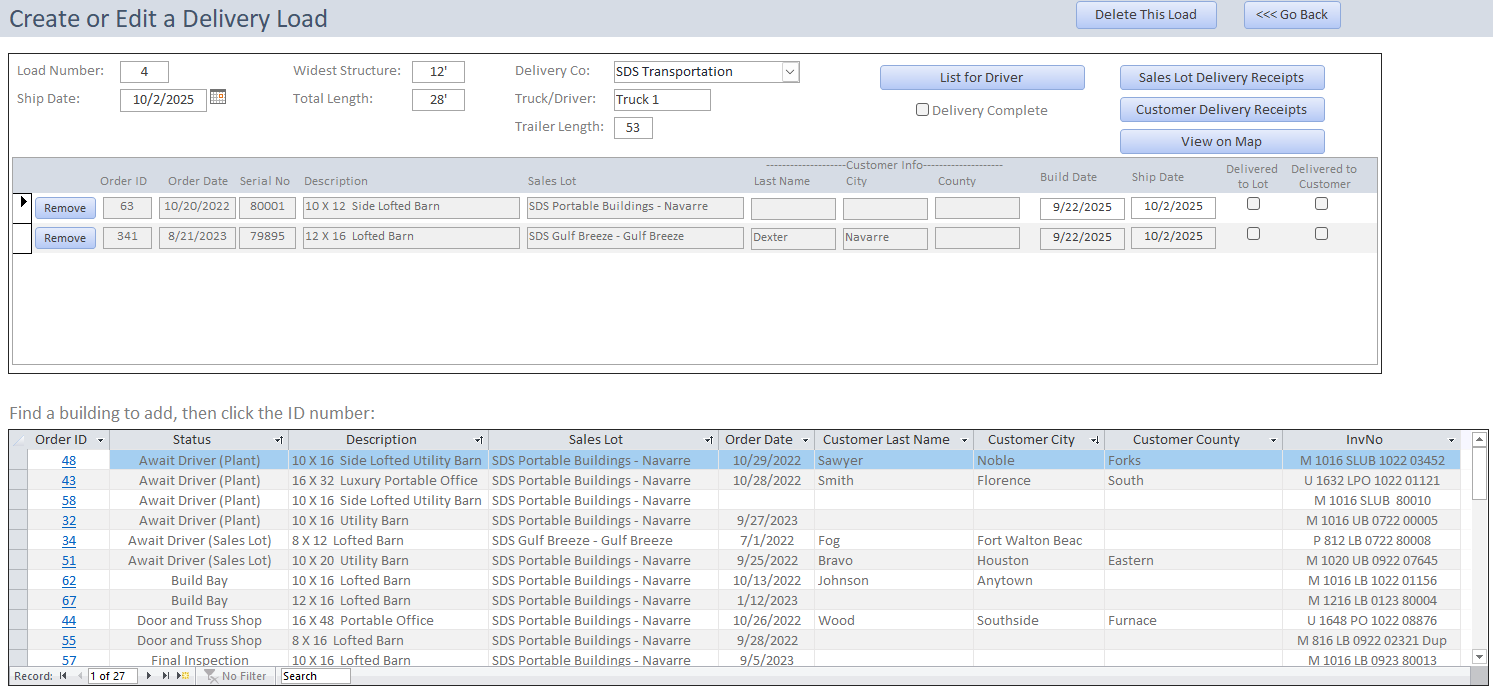
Delivery Load Planner lets you select a truck, add buildings, schedule it, and print delivery receipts.
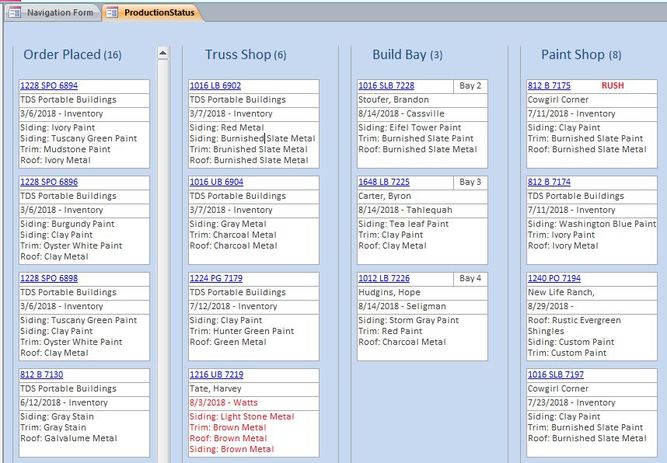
Production Status Board - Shows all buildings in work...ideal for display on a wide screen monitor.

Cost Report - Sheds gives you the option to run an "after-the-fact" cost report for every building you make. It shows labor, materials and options costs and gross profit.
If you'd like it to assign overhead costs to each job, we can make it do that too.
Automatic Raw Materials Inventory - Once an order is placed, the quantity of materials associated with the building are added to the "obligated quantity" column. When the building is finished, material quantities deduct from the "quantity on-hand" and the "obligated quantity columns."